FreeBSD and OpenBSD Port Hardening Considerations
FreeBSD and OpenBSD port hardening starts from a better baseline than most Linux distributions, but a good …

FreeBSD and OpenBSD port hardening starts from a better baseline than most Linux distributions, but a good …

Running a DNS server on a public IP means port 53 is listening on the open internet, …

If you run Istio, Linkerd or Consul in front of your microservices, the mesh decides how traffic …

Network cameras with default credentials on open ports are one of the easiest footholds an attacker can …

Ephemeral port ranges confuse more scan reviews than almost any other topic, because a high-numbered port in …

A Jenkins controller that answers on port 8080 to any IP address is one of the fastest …

A port that wasn’t there yesterday is answering on your public IP, and no one on the …

A new listening port shows up on a production host at 2:14 AM, and the on-call engineer …

Third-party vendors rarely get the same scrutiny as internal infrastructure, yet a payment processor’s staging server or …

The Digital Operational Resilience Act became directly applicable across the EU on January 17, 2025, and eighteen …

Change windows exist to control risk during modification – but the biggest gap in most environments isn’t …

Exposed admin panels – phpMyAdmin, Jenkins, Tomcat Manager, Citrix Gateway, Exchange OWA – get scanned within hours …

Budgeting security reviews around infrastructure growth means treating scan frequency, tooling spend, and audit depth as variables …
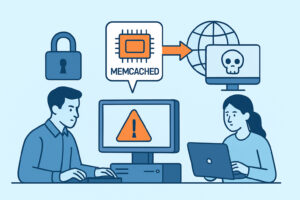
Memcached was never designed to sit exposed on the public internet, yet thousands of instances still answer …

Fifteen new critical findings hit the Slack channel overnight, and the on-call engineer clears all of them …

A network security lead responsible for a fleet of internet-facing servers eventually hits the same wall: the …

NIS2 changed the conversation for any organization that qualifies as an “essential” or “important” entity, and one …

Network administrators managing perimeter firewalls face a fundamental design choice every time they write a rule set: …

Residential IP blocks used to be considered low-value scanning targets, mostly because home routers and dynamic addresses …

New servers get spun up faster than security teams can track them – a DevOps engineer provisions …

Honeypot telemetry has quietly become one of the best sources of ground truth about what internet-wide scanning …

Every open port on a production server belongs to someone, at least in theory – but when …

A network security audit rarely turns up something exotic – it turns up the same handful of …

Decommissioning a server feels like the easy part of the infrastructure lifecycle – shut it down, reclaim …

Port security often falls through the cracks in financial services because it sits at the intersection of …

AI-driven tools now scan, fingerprint, and exploit exposed services faster than any human red team could a …

Multiplayer game backends live or die by low latency, which means most of the traffic that keeps …

Developers write the code that opens the ports your infrastructure ends up exposing to the internet, yet …

A single forgotten port on a production server rarely announces itself before it becomes a problem – …

Nmap is often the first serious tool a new security-minded admin picks up, and the wall of …

Edge computing pushes workloads out of the centralized data center and onto hundreds or thousands of small …

Supply chain attacks no longer need a phishing email or a stolen password to get a foothold …

Small businesses running their own servers – whether it’s a WooCommerce store, a client portal, or an …

Most incident response plans exist as documents nobody has actually rehearsed, and a port scan drill is …

A ten-employee marketing agency and a hospital network both run web servers exposed to the internet, but …

A CISO asking for “a dashboard” and a network engineer building one from raw scan data rarely …

Reverse shells are what pop up in incident reports right after someone asks “how did they get …

ISO 27001 auditors rarely ask “do you scan your ports” in those exact words – but nearly …

Port security myths circulate constantly in sysadmin forums, security team meetings, and vendor sales pitches – and …

Penetration testers don’t hack the way movies portray it – no dramatic countdown timers, just methodical enumeration …

Every network security team has a folder – or a Slack channel, or a ticket queue – …

Fleet operators running a dozen servers face a problem single-server checklists never solve: tracking port security changes …

Elasticsearch clusters are notorious for ending up on the public internet without anyone realizing it, and once …

How to Spot Backdoor Listeners on Unusual Port Numbers Attackers who gain a foothold on a server …

Port security for managed service providers and MSSPs is one of those areas where the scope of …

A new critical port discovered on your server is a security event – not just a configuration …

Open ports on your public-facing servers have a direct and measurable impact on your cyber insurance premium …

Deciding between active and passive port scanning is one of those choices that shapes how well a …

GDPR and port security are more tightly connected than most organizations realize.

Integrating port monitoring into your CI/CD pipeline means every deployment automatically checks for unexpected open ports before …

Redis port exposure is one of the most exploited misconfigurations in the wild, and the root cause …

Knowing how to map port findings to the MITRE ATT&CK framework turns raw scan data into actionable …

Port security in hybrid cloud environments is one of the more underestimated challenges in modern infrastructure management.

The business case for investing in port security tools is one of those conversations that tends to …

Validating firewall rules with external port scans is one of the most reliable ways to confirm that …

Port security for remote workers and distributed teams has become one of the most overlooked gaps in …
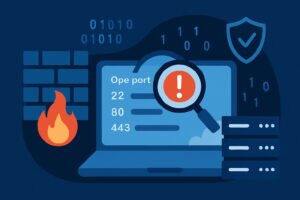
Firewall rules are one of the most trusted tools in network security – but there’s a real …

Ransomware gangs exploit misconfigured server ports with far more precision than most organizations expect.

Understanding TCP vs. UDP port risks is essential for anyone responsible for server security – whether you’re …

Creating port security baselines for your servers is one of those foundational practices that separates reactive firefighting …

Network printers quietly humming in the corner and smart thermostats controlling your office temperature represent some of …

Microservices architectures present unique port security challenges that traditional monolithic security approaches can’t adequately address.

Organizations pursuing SOC 2 compliance face mounting pressure to demonstrate robust security controls, and port monitoring plays …

Shadow IT creates unknown open ports on your network by introducing unauthorized applications and services that establish …

Building a monthly port security review process is essential for maintaining a robust security posture and reducing …

Port 445 represents one of the most persistent and dangerous security risks on the internet today.

VoIP port security requires careful attention to both SIP signaling and RTP media stream protection to prevent …

Security teams waste countless hours chasing port scan false positives that distract from real threats.

Legacy systems present a unique challenge in network security – they often run outdated software with known …

You’re tasked with justifying security investments to executives who think in terms of business impact and ROI. …

Management interfaces represent some of the most valuable targets in any network infrastructure.

IoT device port security risks represent one of the most underestimated attack vectors in modern networks, with …

Building a comprehensive port security incident response plan ensures your organization can quickly detect, contain, and remediate …

Your security team might understand the technical aspects of port security, but do they truly grasp the …

Growing companies often discover their attack surface has expanded far beyond what they originally planned to secure.

Network administrators and security professionals constantly struggle with creating secure network boundaries while maintaining operational efficiency – …

Port security automation transforms reactive firefighting into proactive defense, enabling system administrators and security teams to detect …

Zero-day vulnerabilities represent the most dangerous threat to your open ports because they exploit unknown security flaws …

Linux server port hardening is the systematic process of reducing your server’s attack surface by eliminating unnecessary …

Managing Windows Server environments requires constant vigilance over port security to prevent unauthorized access and maintain system …

You’ve just run a port scan against your infrastructure and the results came back with dozens of …

Looking at your server’s open ports can be alarming. When I first ran a port scan on …

MongoDB port exposure has become one of the most exploited attack vectors in recent years, fueling a …

If you manage servers exposed to the internet, minimizing your attack surface is the single most effective …

You manage servers – maybe a handful, maybe hundreds. You know which ports should be open. But …

If you run an e-commerce site that handles credit card payments, port security for e-commerce isn’t optional …

If you’re responsible for any kind of server infrastructure, you’ve heard the advice to “close unused ports” …
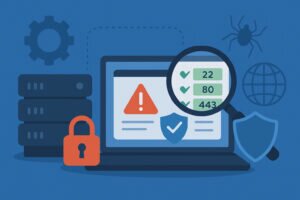
Here’s something that keeps me up at night: most companies have no idea what ports are actually …

If you manage servers – whether it’s a handful of VPS instances or a sprawling enterprise fleet …

If you’re running a public-facing server, every open port is a potential entry point for attackers. Knowing …

If you’re running a VPN server — whether for remote access, site-to-site connectivity, or just tunneling traffic …

Most system administrators run regular internal security audits, check their firewall rules, and feel confident their server …

If you’re running services on their default ports — SSH on 22, MySQL on 3306, RDP on …
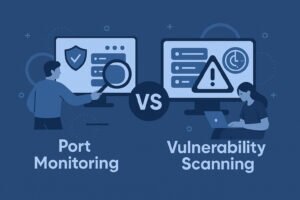
If you manage servers or oversee network security, you’ve probably seen both port monitoring and vulnerability scanning …

If you’re running Kubernetes in production, Kubernetes port security should be near the top of your priority …

If you’re responsible for any internet-facing server, understanding your attack surface is the single most important step …

If you’re a sysadmin or security engineer managing production servers, common port misconfigurations are probably the single …

Every server facing the internet has dozens of potential entry points, and most sysadmins have no idea …

Learning how to interpret port scan results is the difference between staring at a wall of numbers …

I’ve been running servers for years, and if there’s one thing I’ve learned the hard way, it’s …

Every new server you spin up is a blank slate — and for about the first 30 …

If you manage a server — whether it’s a VPS running your company website or a dedicated …

If you’re responsible for servers in your organization and port security isn’t on your radar, you’re likely …

If you’re running a server — whether it’s a small business website, an e-commerce platform, or a …

If you’re running a web server that’s exposed to the internet, every open port is essentially an …

If you’ve ever run a port scan on your server and stared at the results wondering what …

If you manage a server that’s exposed to the internet, you probably already know the basics: keep …

If you manage a server that faces the public internet, you already know the feeling.

If you’re running a server, whether it’s a small business website or a complex infrastructure with dozens …

When you spin up your first cloud server, the excitement of unlimited scalability quickly meets the reality …

Running servers exposed to the internet means you’re constantly under surveillance.

If you’re running a server with Remote Desktop Protocol enabled, you’re sitting on one of the most …

If you run any kind of email server, understanding which ports to use and how to secure …

If you’re running Docker containers in production, there’s a good chance you’ve accidentally exposed more than you …

If you’re running a server, there’s a good chance you’ve installed applications over time without keeping a …
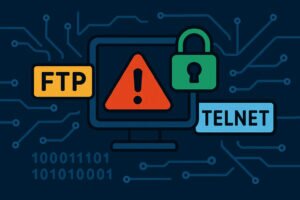
If you’re running a server in 2026, having FTP (port 21) or Telnet (port 23) open is …

When I first started managing Linux servers about fifteen years ago, one of the earliest “security tips” …
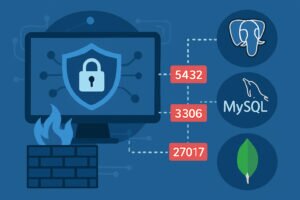
If you’re running database servers, chances are you’ve got ports 5432, 3306, or 27017 exposed to the …

If you manage any server or network infrastructure, you’re constantly being scanned.
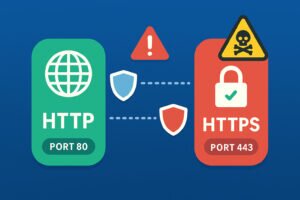
If you’ve ever wondered why some websites show that reassuring padlock icon while others don’t, you’re looking …

If you’re responsible for maintaining compliance standards like PCI DSS, HIPAA, or ISO 27001, you already know …

If you’re running port scans on your servers and wondering what to do with all those open …